Easy Scribe vs Guidejar: Choosing the Right Guidejar Alternative
Detailed comparison of Easy Scribe and Guidejar for step-by-step documentation. Features, pricing, and export options compared side by side.
2026-07-01
Looking for a Guidejar alternative that fits your documentation workflow? Both Easy Scribe and Guidejar turn screen recordings into step-by-step guides, but they approach the problem differently. Guidejar leans toward interactive product demos and narrated walkthroughs for sales and marketing teams, while Easy Scribe focuses on generating accurate, exportable written documentation from video recordings. This comparison breaks down the differences so you can pick the right tool for your needs.
How they compare at a glance
Feature | Easy Scribe | Guidejar |
|---|---|---|
Pricing from | $9.99/user/mo (Pro) | |
Free tier | Yes (unlimited docs and videos, 2-user workspace) | Yes (5 guides, no AI) |
Capture method | Browser-based recorder (no install) | Chrome extension or desktop app (click-based) |
Upload existing video | Yes (desktop and mobile recordings) | Yes (AI video-to-guide on Plus+) |
AI-generated docs | Yes (all plans) | Yes (Pro+, credit-based) |
Interactive demos | Yes (interactive walkthroughs on all plans) | Yes |
Export formats | Confluence, Markdown, PDF, Word, HTML | PDF, HTML, Markdown, MP4 |
PII redaction | Yes (Pro) | Manual blur on all plans; auto redact Business-only |
Mobile recording support | Yes | |
Multilingual | Yes (auto-detect or manual) | Yes |
Confluence integration | Direct OAuth (create/update pages) | Embed or Smart Copy |
Video editing | Built-in trim and screenshot points | N/A (click-based capture) |
Audio transcription | Yes | N/A |
Per-seat pricing | Yes | Yes |
Capture and generation workflow
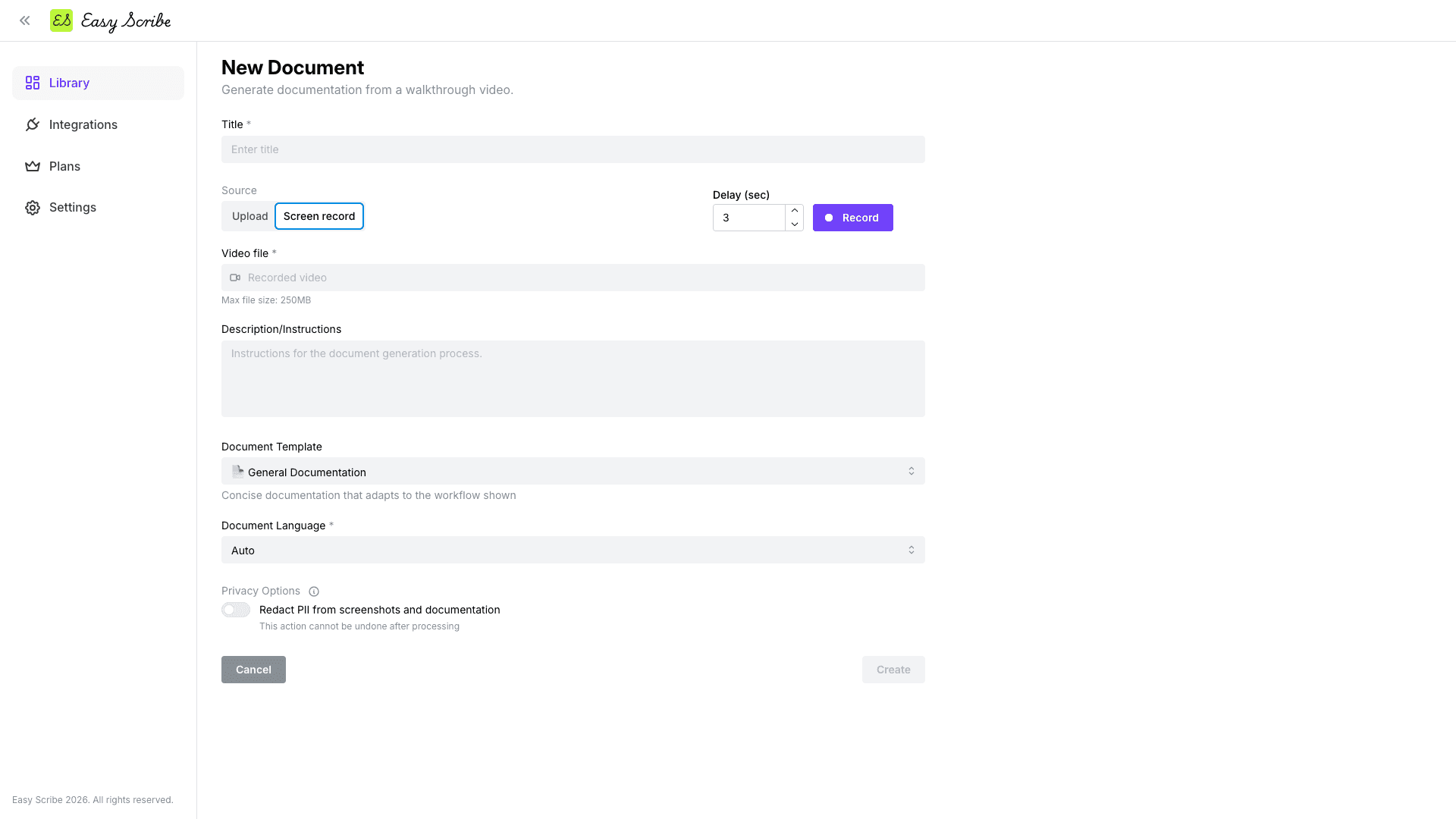
Easy Scribe works entirely in the browser. You record your screen (with optional mic narration), or upload a video you already have, and the AI generates an ordered guide with contextual screenshots pulled from the recording. You can trim clips and set manual screenshot points in a lightweight editor before generation. There is no extension to install.
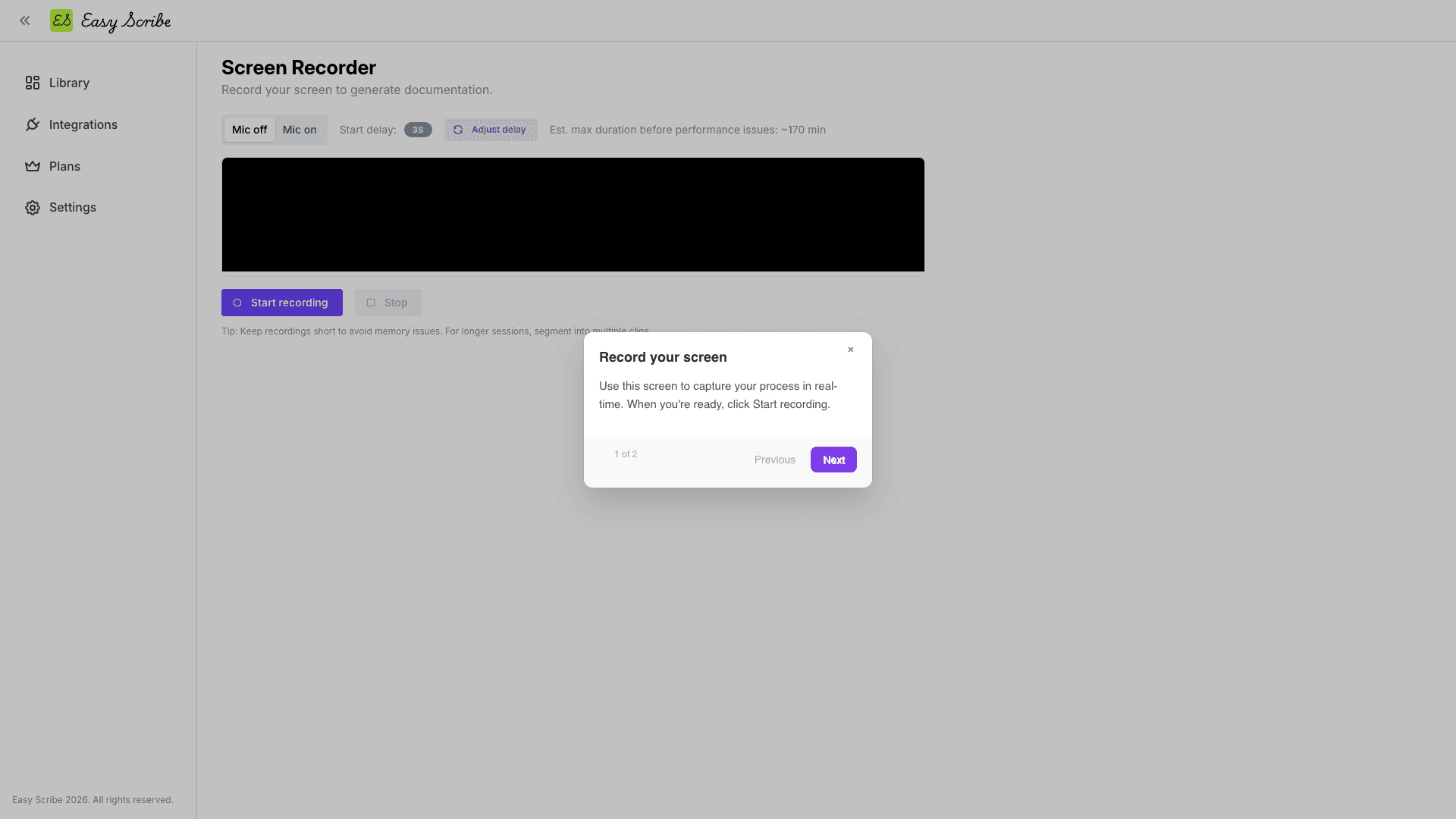
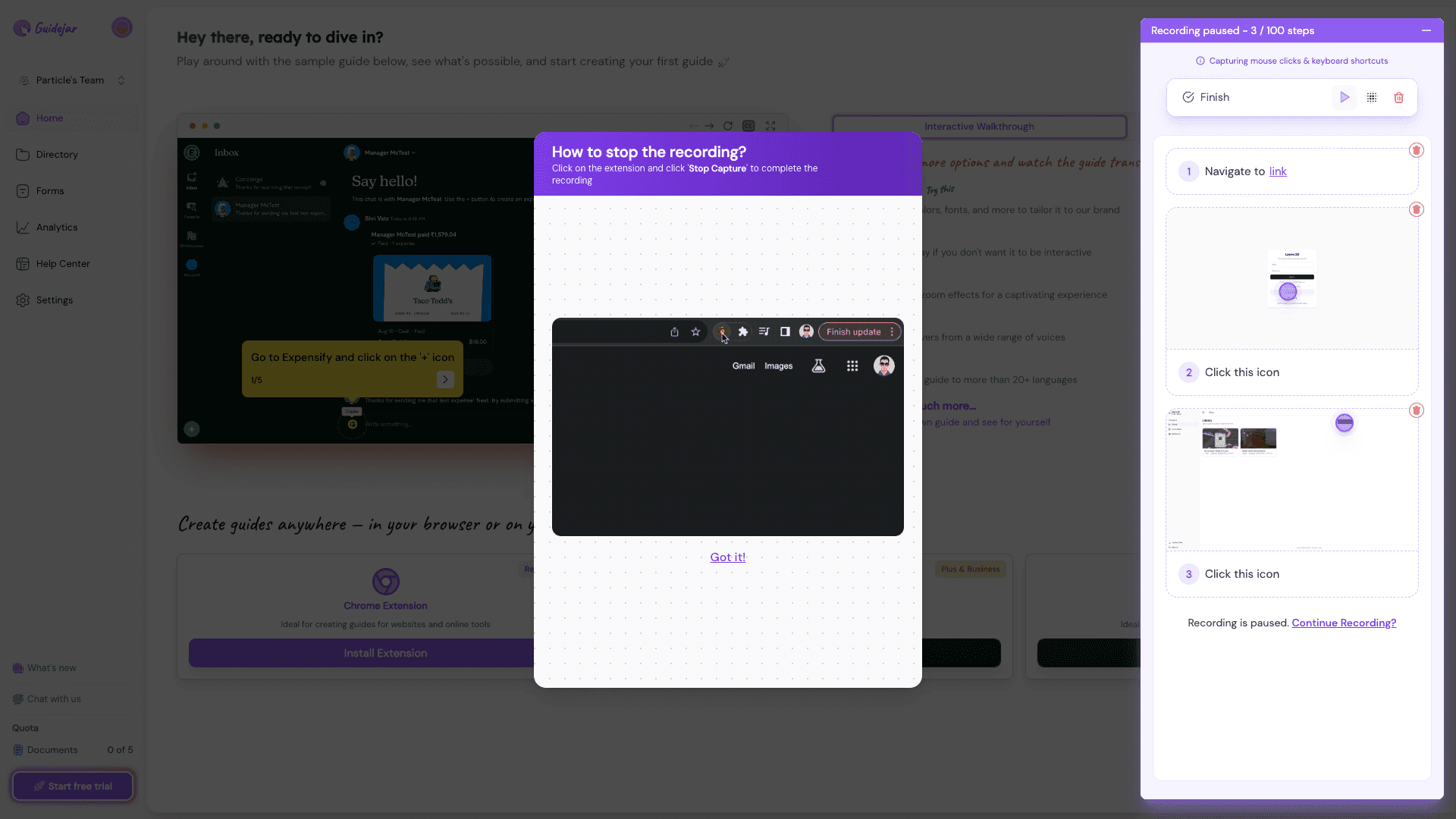
Guidejar takes a click-based approach. Its Chrome extension or desktop app captures each click as a discrete step, automatically generating screenshots and captions. This is well-suited for building interactive walkthroughs and product demos. Guidejar can also convert an uploaded video into a guide using AI, though that feature requires the Plus plan or higher.
Output and editing
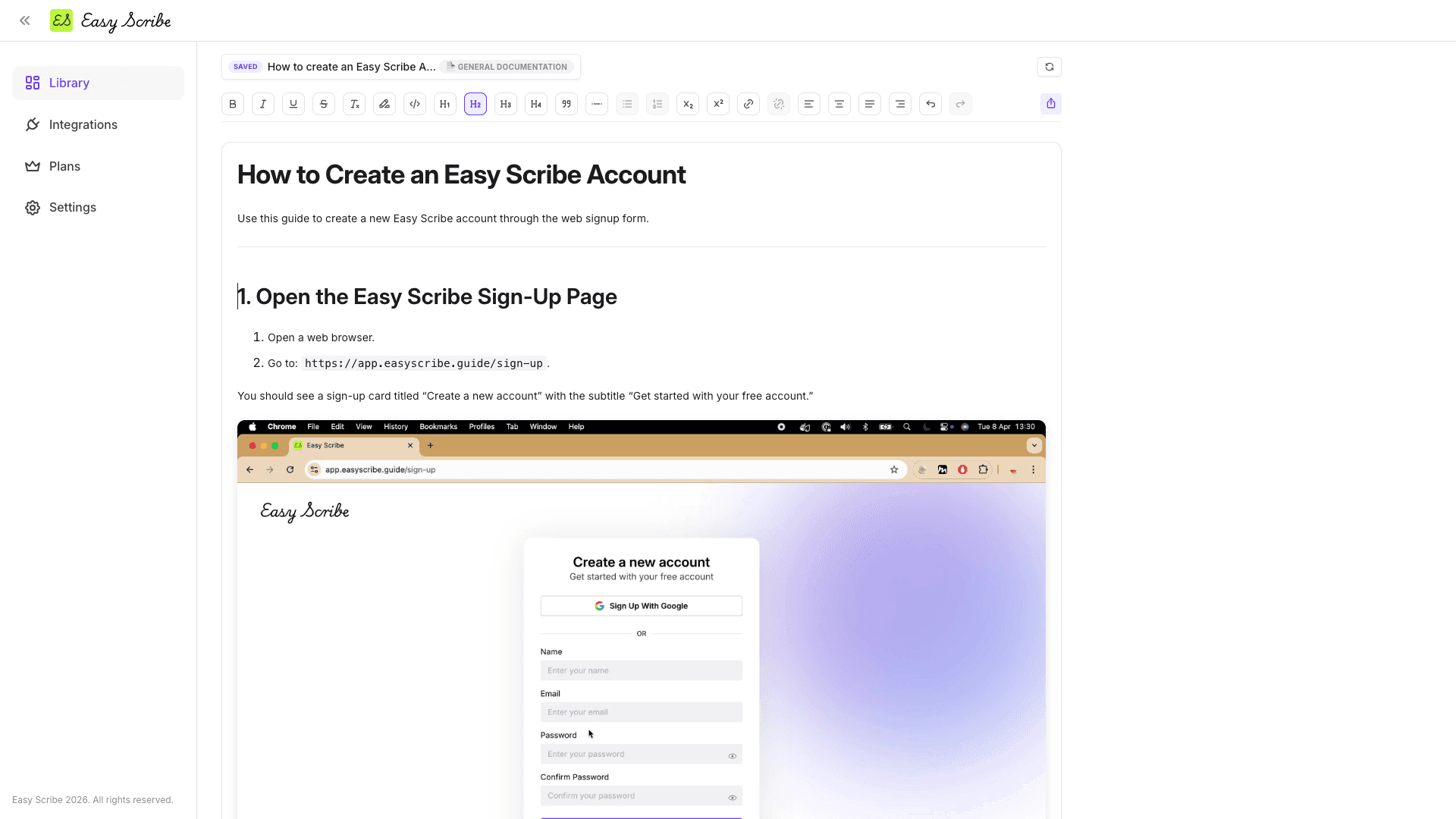
Easy Scribe produces rich written documentation. Its editor supports headings (H1 through H4), bold, italic, underline, lists, alignment, links, drag-and-drop image positioning, and autosave. The output is designed for product docs, SOPs, and knowledge base articles. From the same document, Easy Scribe can also generate an interactive walkthrough: a player-based, clickable tour of the steps with optional AI voice narration on Pro.
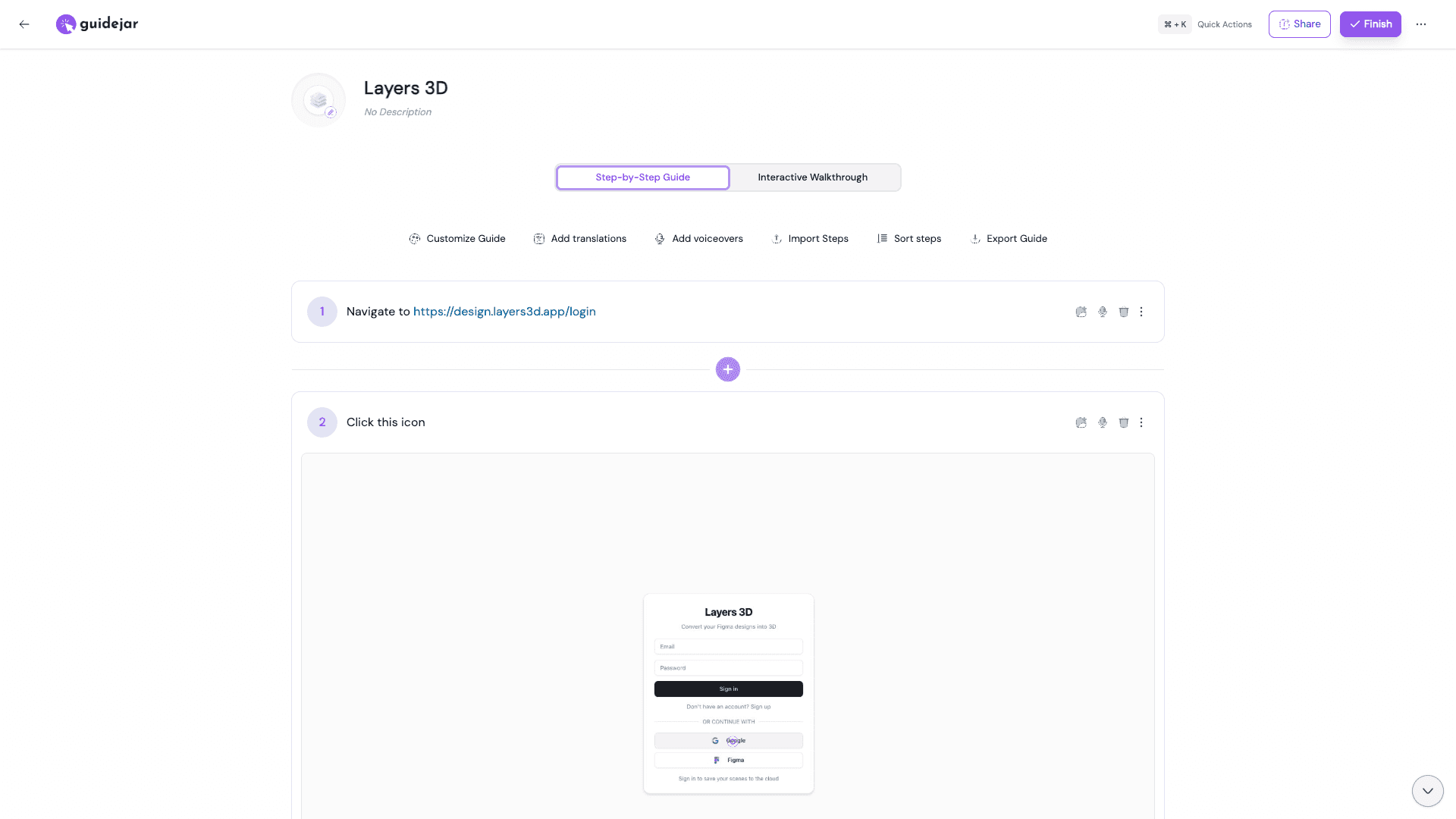
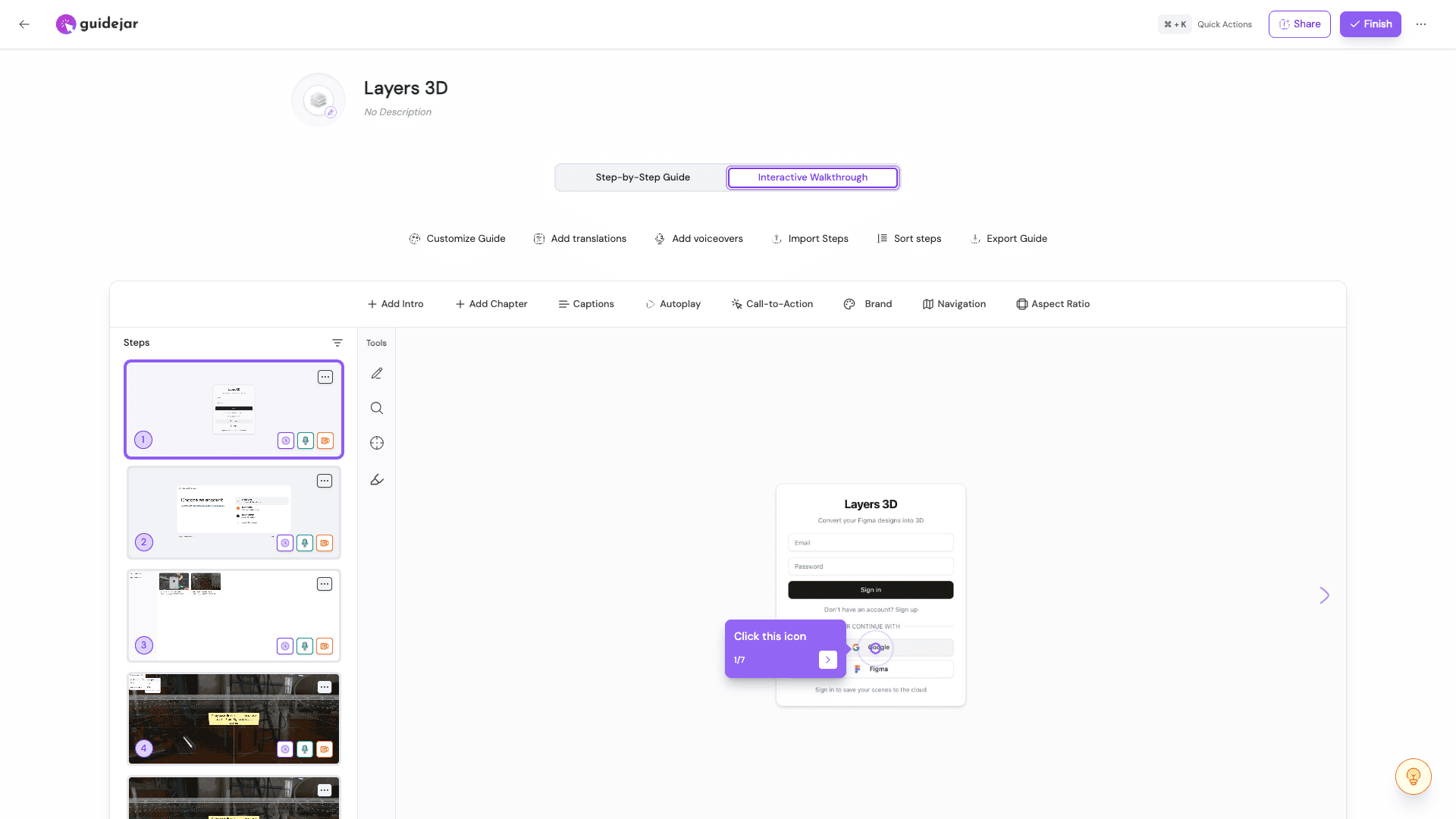
Guidejar produces both step-by-step guides and interactive walkthroughs from the same capture. You can add translations, voiceovers, chapters, captions, and call-to-action elements. The interactive format is particularly useful for sales demos and customer onboarding flows.
Pricing differences worth noting
Easy Scribe has a generous free tier with unlimited documents and videos, no upload size limits, and a team workspace for up to 2 users. The Pro plan is $9.99/user/mo (or 17% less with yearly billing) and adds Confluence export, PII redaction, custom branding, password-protected exports, AI voice narration for interactive walkthroughs, unlimited workspace members, a faster processing queue, and priority email support.
Guidejar uses per-seat pricing. Pro starts at $16/user/mo, Plus at $20/user/mo (adds desktop capture and MP4 export), and Business at $59/mo for 5 users (adds auto PII redaction and AI voice cloning). AI features across all paid tiers draw from a monthly credit pool that scales by plan, from 5,000 credits on Pro up to 20,000 per seat on Business. The free Starter plan caps you at 5 guides with no AI features.
For a small team, the cost difference adds up quickly. A 3-person team on Guidejar Pro pays $48/mo compared to Easy Scribe Pro at $29.97/mo, and Easy Scribe's free tier already includes unlimited documents and AI-generated guides.
Which should you choose?
Choose Easy Scribe if you need polished written documentation and interactive walkthroughs from screen recordings. It is a strong fit for product teams, developers, technical writers, and support teams who produce user guides, SOPs, onboarding material, or customer support content. The browser-based recorder means nothing to install, the Confluence integration uses a real OAuth connection for creating and updating pages, and mobile recordings are supported. PII redaction, custom branding, and password-protected exports are available on Pro.
Choose Guidejar if your primary goal is interactive product demos, narrated video walkthroughs, or embeddable guided tours for sales and marketing use cases. Guidejar's click-based capture and interactive walkthrough format are purpose-built for showcasing products to prospects or onboarding new users with guided, clickable experiences. If you need MP4 video export or AI voiceovers, Guidejar covers those on its Plus and higher plans.
FAQ
Can I use Easy Scribe without installing a browser extension?
Yes. Easy Scribe's screen recorder runs directly in the browser with no extension or desktop app required. You can also upload an existing video file instead of recording live.
Does Guidejar work on mobile devices?
No. Guidejar's capture relies on a Chrome extension or desktop app and does not support native mobile or tablet capture. Easy Scribe supports both desktop and mobile screen recordings (including uploaded mobile recordings).
Which tool has better export options?
Both support PDF, HTML, and Markdown. Easy Scribe also exports to Word (DOCX) and has a direct Confluence integration with OAuth. Guidejar adds MP4 video export on its Plus plan and above, but HTML and Markdown export require the Pro plan.
Is PII redaction available on free plans?
Easy Scribe includes PII redaction on its Pro plan, covering both text and screenshots. In Guidejar, manual blurring is available on every plan, but automatic PII redaction (Auto Redact PII) is restricted to the Business plan.
How do AI credits work in Guidejar?
Guidejar's AI features (voiceover, translation, paraphrase, video-to-guide) consume credits from a monthly pool that scales with your plan tier. Easy Scribe does not use a credit system; AI-generated documentation is available on all plans.

Easy Scribe
Rich documentation, walkthroughs, and guides from screen recordings.
Quick links
RESOURCES
© 2025 Easy Scribe. All Rights Reserved